
PAYCHECK · ANDROID · LOCAL-FIRST MONEY TRACKER
Know where
your money goes
Log income and expenses in a couple of taps and see what matters: how much is left until payday and where your budget leaks. No spreadsheets, no access to your bank — and your financial history stays only with you.
TODAY 09:12 · COFFEE · −£3.20 · BALANCE £2,415.36
LOCAL-FIRST · AES-256 ENCRYPTED · NO BANK ACCESS · FREE CORE
A
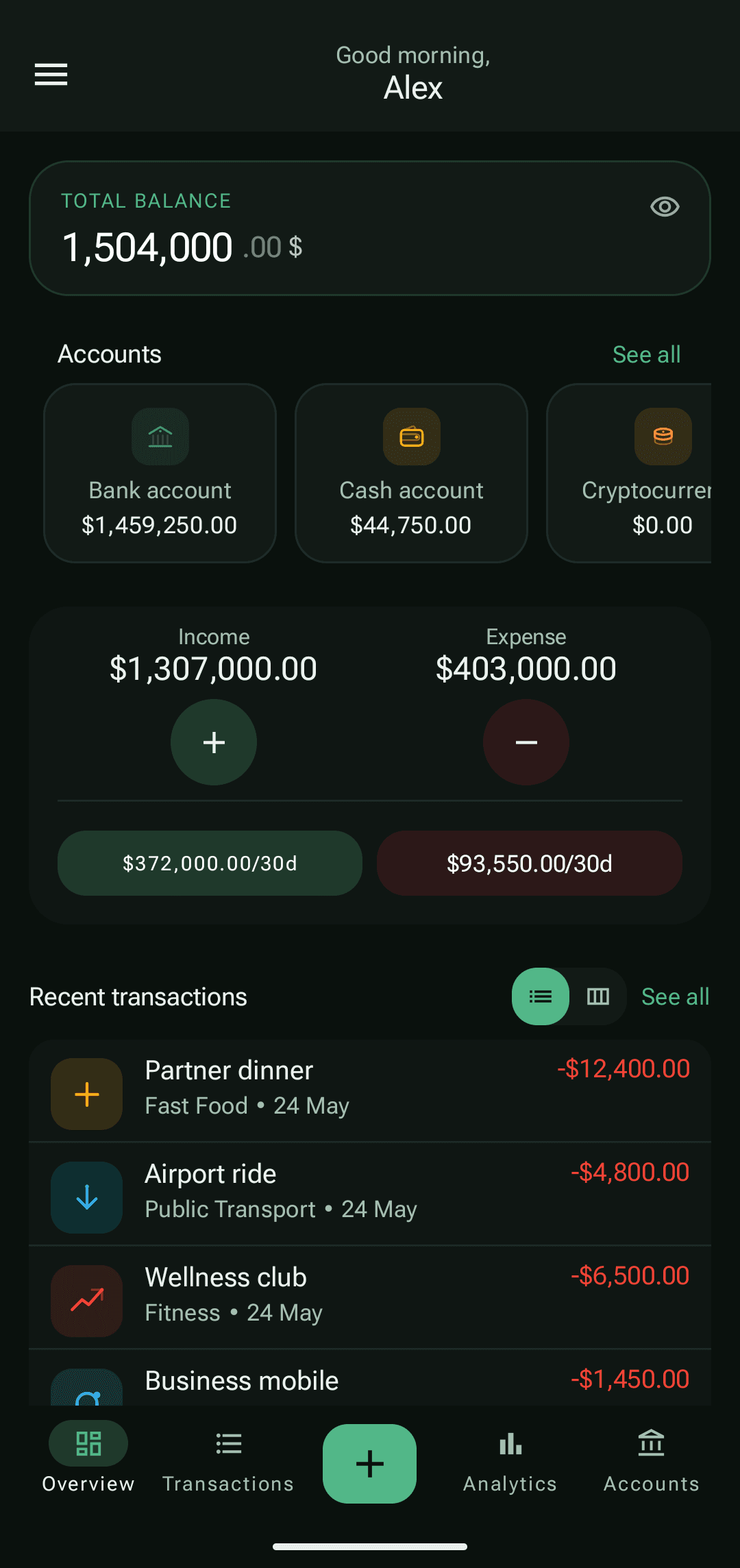
Always see what you have
your balance and how much you can still spend before payday — right on the home screen
B
See where money goes
categories show where your budget leaks every month
C
Free to start
core tracking with no subscription; Premium when you want deeper analytics
01How it works
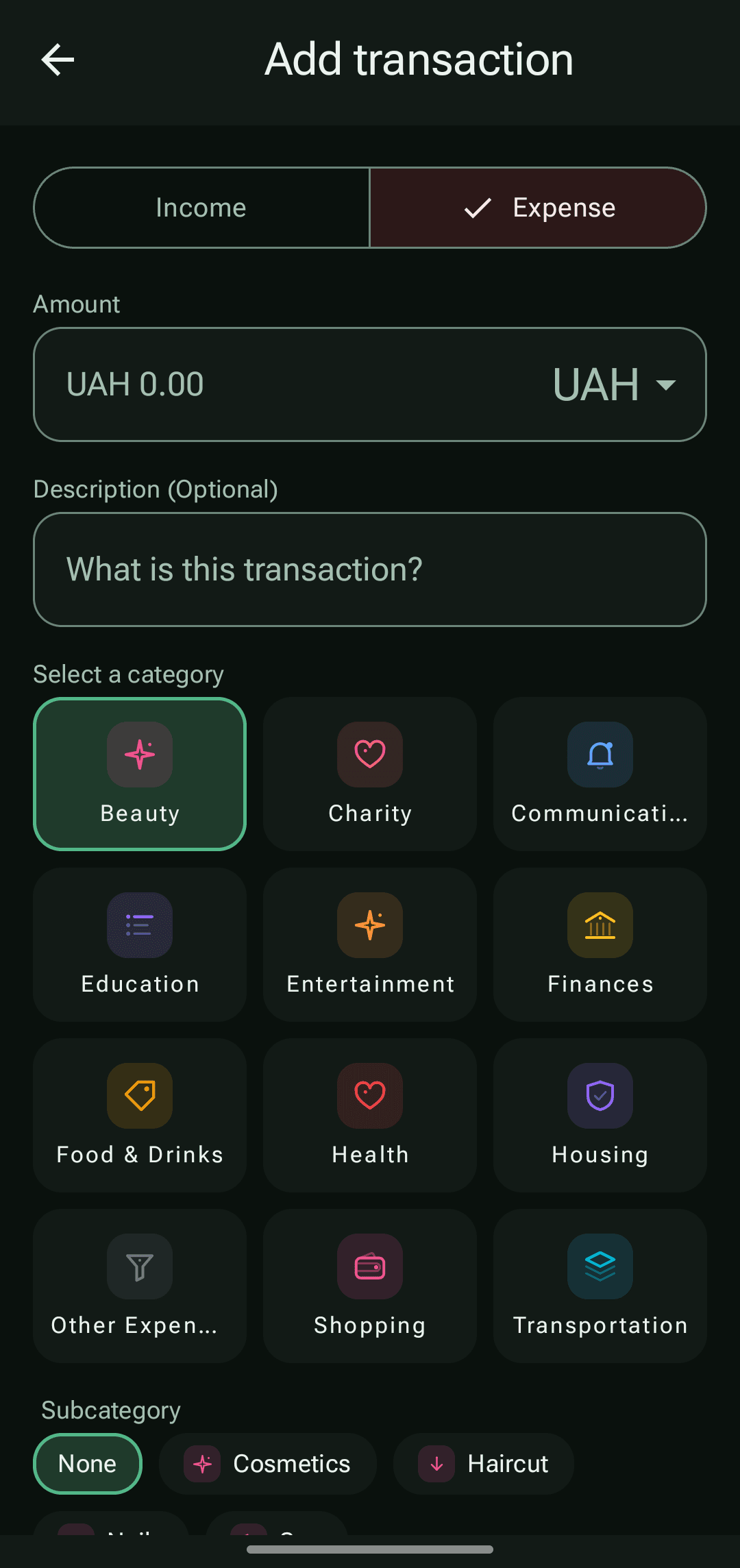
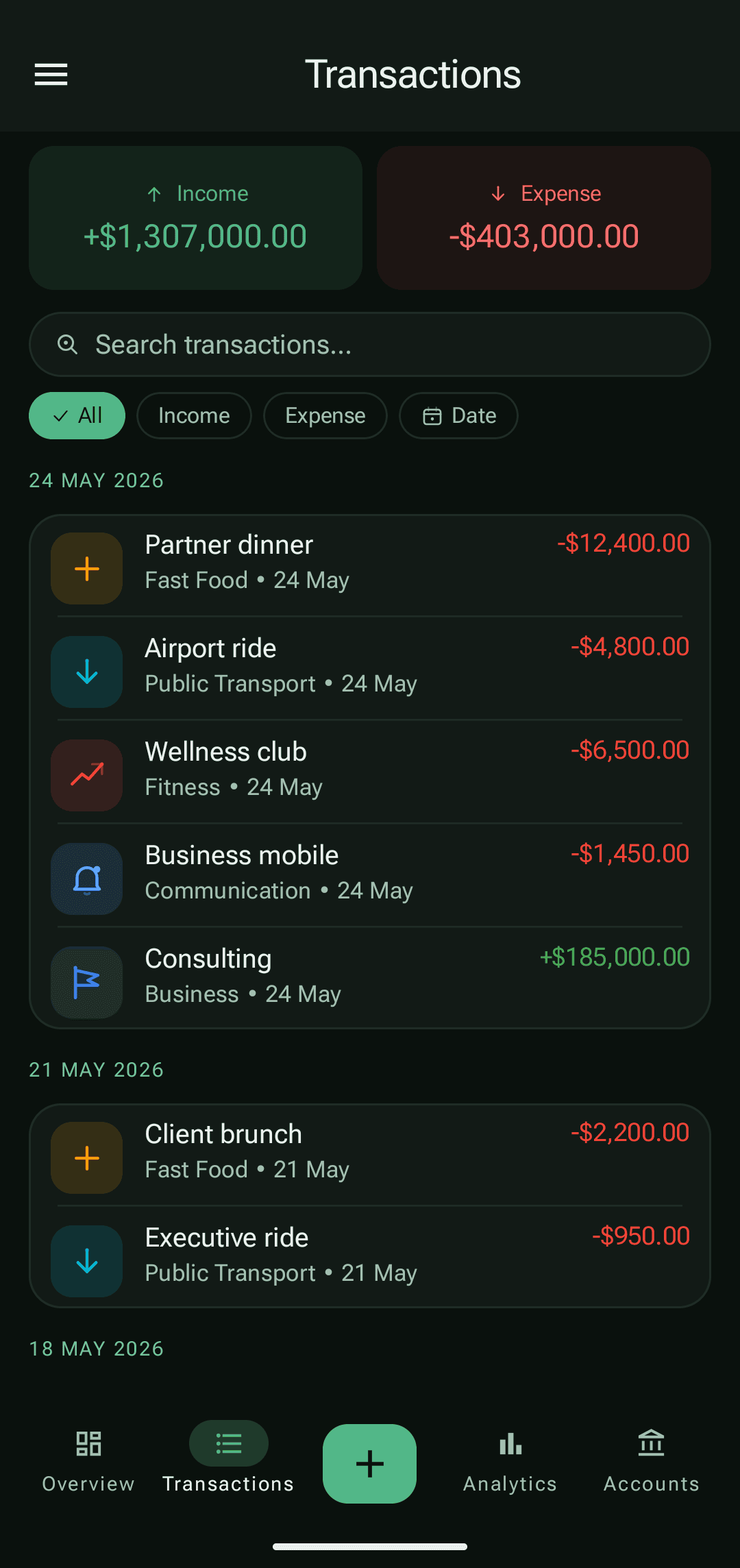
Log it. Find it. See where your money goes.
No need to be an accountant or figure it all out on screen one. One record today — and within a couple of weeks you see the full picture of your money.
TAP A STEP — THE SCREEN FOLLOWS
02 About your financial data
Not “we keep your data safe.” We simply don't have it.
Your financial history is personal. So PayCheck doesn't take it for itself: your records stay encrypted on your phone, not on someone's server. No sharing with third parties, and no ads built on your spending.
YOUR PHONE
records
categories & goals
analytics
backups you create
AES-256
THE INTERNET
— nothing to send —
no cloud account
no bank connection
A backup, PDF or CSV file leaves the device only when you tap backup or export.
P·1
Everything on your phone
Transactions, categories and goals live on your Android device, not in someone else's cloud.
P·2
No bank access needed
No card logins — PayCheck physically cannot reach into your account.
P·3
Take your history anywhere
It isn't locked in: create an encrypted backup file in two taps and take everything with you. Formatted PDF and CSV exports are part of Premium.
P·4
Your spending isn't ad fuel
We don't sell financial data or turn your expenses into an ad profile.
03 CURRENCY · TRAVEL & MOVING
New country? Flip the currency — done.
Tracked your budget in pounds, landed in Poland — switch the display currency once, and balances, history, analytics and goals show up in złoty. Built-in rates work offline, and your records stay untouched.
C·1
One switch — the whole app
Balances, history, goals and analytics are recalculated into the chosen currency instantly.
C·2
Rates work offline
Base exchange rates ship inside the app and quietly refresh when you’re online. Nothing breaks in roaming.
C·3
Records stay exact
Every entry remembers its native currency: conversion is precise and fully reversible — switch back and the numbers match to a penny.
C·4
Multi-currency accounts
A card in euros, cash in pounds — one total, one clear picture.
SHOW EVERYTHING IN
WORKS OFFLINEDisplay: pound sterling
TOTAL BALANCE
£1,302.30
Card ··4412
£1,031.94
Cash
£270.36
Demo uses the app’s built-in rates. Records keep their native currency — switch back and nothing is lost.
04 When history exists · PREMIUM
The full picture of your money
Premium becomes useful after PayCheck already has your records. Then numbers explain the month: spending pace, runway, savings, categories and income stability. When you open analytics, it should answer quickly: is the month on track, or is one area draining money faster than it feels?
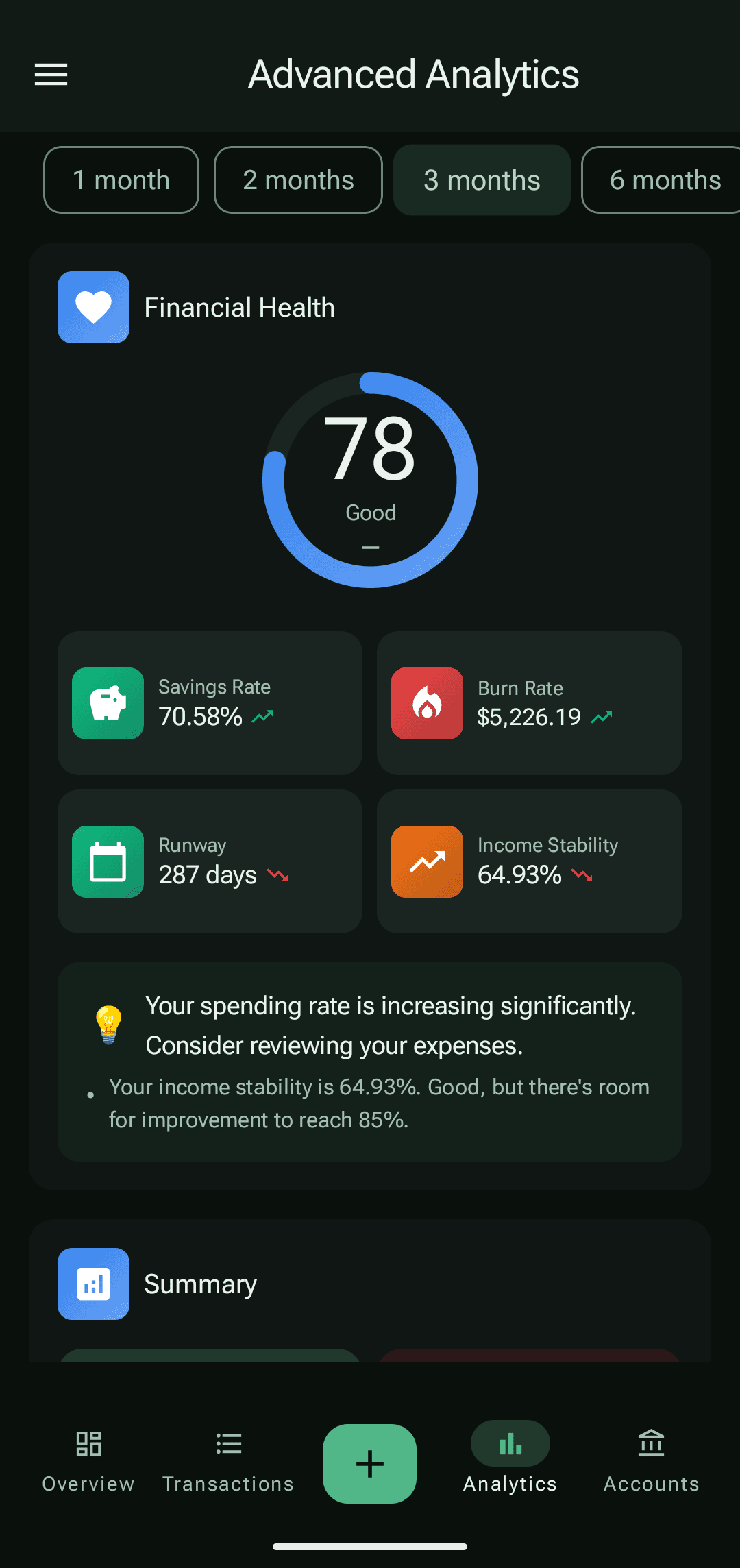
Questions people actually open analytics for:
Pace
Am I spending faster than planned?
Spending speed shows how quickly money is leaving in the current period, so a problem is visible before the month ends.
Runway
How many days will my money last?
Runway turns the balance into an approximate number of days. It is easier than guessing from a raw amount.
Categories
What is really pulling the budget down?
Top categories and period changes reveal a repeating direction, not just one random purchase.
Stability
Is income predictable?
Income stability helps you see whether the month can be planned calmly or depends on a single payment.
05 Free and Premium
Build the habit first. Subscribe only when you need depth.
95% of the app is free — and we don't collect your financial data. Paid only unlocks deeper analytics, PDF/CSV export, scheduled backups, and no ads.
Start here
Free
For starting money tracking without a subscription or a complex setup.
NO CARD · NO SIGN-UP · NO CLOUD ACCOUNT
- Income and expenses
- Accounts, categories and goals
- Multi-currency and display-currency switch
- Search and history filters
- Local storage
- Manual backup/import
Free may show ads. Core tracking is not hidden behind a paywall.
For depth
12 months is best
Premium
For the moment when records have accumulated and you want more clarity without ad blocks.
£1.67 / month
£19.99 total · best value, save 58%
- No ads
- Money health score
- Category trends and spending pace
- PDF/CSV export
- Scheduled local backups
- Support independent development
Prices are taken from Google Play for the United Kingdom. Google Play still confirms the final amount, taxes and currency before purchase.
Free is enough if you need honest manual tracking and a clean transaction history.
Premium makes sense when you already have history and want answers, reports, scheduled backups and a cleaner interface.
06 FAQ
Frequently asked questions
Short and honest. If something is missing, the privacy policy and terms are linked in the footer.
Does PayCheck connect to my bank account?
No. PayCheck never asks for bank credentials and cannot access your accounts. You record money manually; on supported banks you can optionally enable on-device parsing of bank push notifications — it is off by default and nothing is sent anywhere.
Where is my financial data stored?
On your Android device, in an encrypted database (AES-256). PayCheck works without a cloud account and does not collect your financial history.
Is PayCheck free?
Yes. Core tracking — income, expenses, accounts, categories and goals — is free with ads. Premium removes ads and adds advanced analytics, PDF/CSV export and scheduled local backups; it is billed through Google Play.
Can I move my data to a new phone?
Yes. Create a backup file (optionally protected with a password and strong encryption), copy it to the new device and restore it in the app.
Which languages and currencies are supported?
The app is available in 8 languages, including English, Ukrainian and Polish, and supports multi-currency accounts. You can switch the display currency at any time — everything converts instantly, and built-in rates work even offline.
How do I delete my data?
Your records live only on your device: clearing the app's data or uninstalling it removes them. If you created a beta account, you can delete it on the account deletion page.
Start taking control of your money today
Download PayCheck, make your first record — and within a couple of weeks you'll see where your salary actually goes. Free; Premium when you want more.
Financial history stays on the Android device
Premium and subscriptions are handled through Google Play
First record takes about ten seconds